Knowledge base · RAG
As team knowledge grows, find it precisely
Every Specify workspace has a built-in vector database. Upload docs and files and they’re indexed automatically; chat and coding agents find sources with semantic and keyword search, then answer.
Connect team knowledge. Find the context.
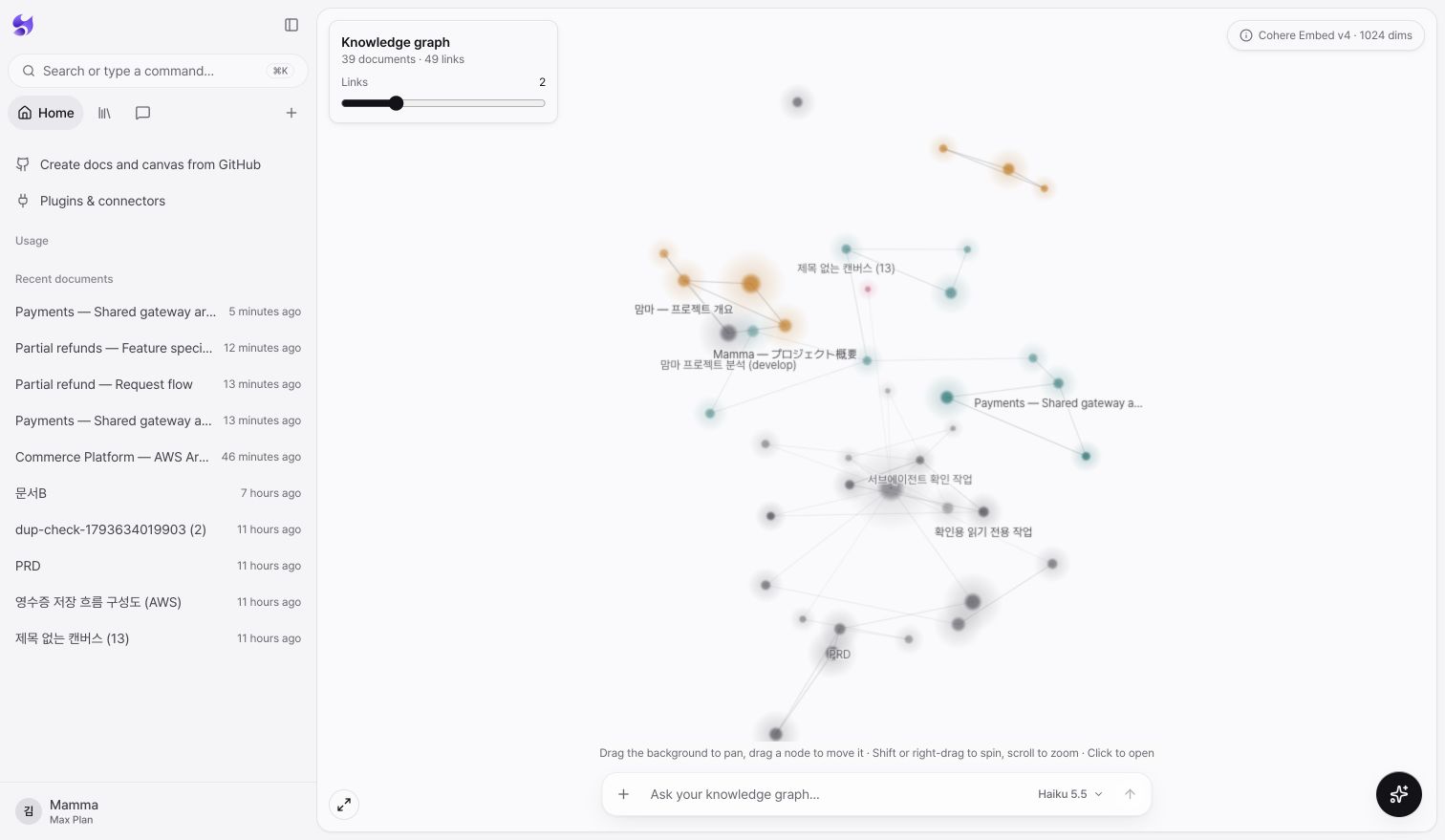
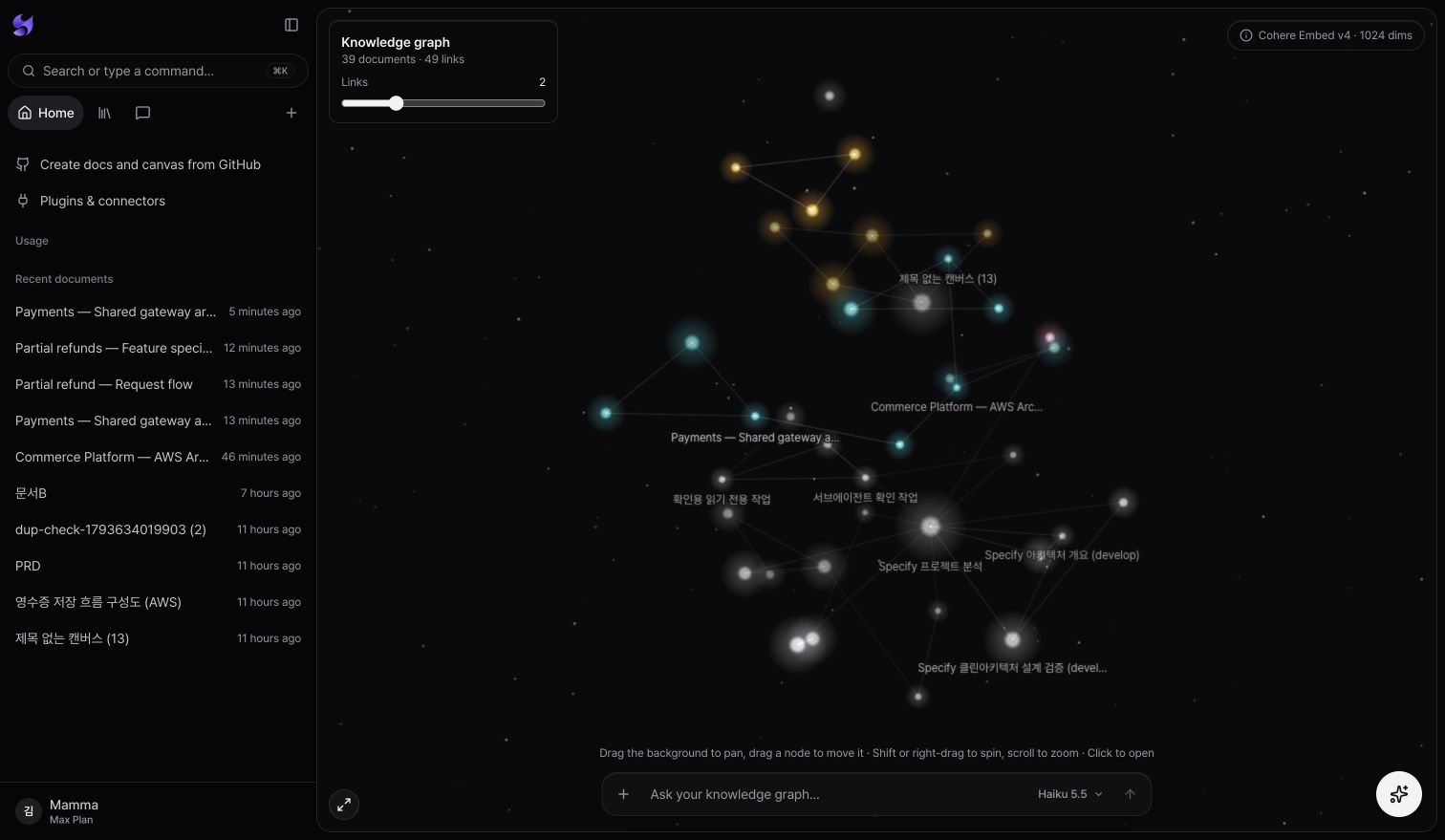
A real workspace knowledge graph. Explore documents linked by related meaning and open the source from each node.
Keep coding agents in context as plans change
Bring plans, PRDs, specs, tasks, and team decisions into your workspace. Coding agents connected through Specify MCP can retrieve the evidence behind your team’s knowledge and workflow.
Find team context before coding
Use semantic search for related requirements and keyword search for exact terms and identifiers. Search workspace documents and uploaded files; query connected services through separate connector search tools.
Check requirements at the source
Follow source references and document locations to read the original PRD, spec, or task. Keep acceptance conditions and the reasoning behind team decisions within reach.
Revisit plans as they change
Document changes automatically trigger incremental indexing and become searchable when indexing completes. Searching again and reading the source for each task helps agents carry the latest context forward.
How documents become searchable knowledge
Embedding, structure-aware chunking, and search ranking are built into your workspace.
Cohere Embed v4 · 1,024 dimensions
Cohere Embed v4 on Amazon Bedrock turns documents and questions into 1,024-dimensional vectors. Documents use search_document and questions use search_query embeddings for semantic retrieval.
Chunking that preserves document structure
Headings, sections, and paragraphs guide chunks targeting about 400 estimated tokens, with an 800-token maximum. Each chunk carries its title and section path. Long tables repeat headers; code splits prefer line boundaries.
Search ranking and RRF
The current server uses vector ranking for semantic search and a separate keyword tool for exact strings. When hybrid mode is enabled, RRF (k=60) combines both rankings. No separate neural reranker model is used.
RAG, already set up for you
Embeddings, chunking, a vector database, and a search pipeline all come with your workspace.
A vector DB built into the workspace
Each workspace has its own vector index and keyword index, ready to use the moment you create it.
Semantic and exact keyword search
Find documents related to your question by meaning, then check exact code names and abbreviations with the separate keyword search tool.
Automatic indexing as content changes
Editing a document or uploading a file starts indexing automatically. Only changed chunks are updated, and new content becomes searchable once indexing completes.
Gather, find, protect
The docs and files you already use become your team’s knowledge base.
Gather docs and files
Docs written in your workspace and uploaded PDF, Word, Excel, and Markdown files are indexed into the knowledge base.
Find answers with sources
Ask in chat to find related docs and get answers, each with its source doc and location so you can check it right away.
Search only what you can see
Search is isolated per workspace, and results include only docs the member is allowed to read.
Knowledge base FAQ
What goes into the knowledge base?
Your workspace docs and uploaded files (PDF, Word, Excel, CSV, Markdown, text, and more). Content from connectors like GitHub, Notion, and Slack isn’t indexed; it’s searched when needed.
Do I need to set up a vector database?
No. Creating a workspace sets up a vector index and a keyword index together. Docs you write and files you upload are indexed automatically, and docs in mixed languages are searched in the same knowledge base.
How does search work?
It combines keyword and semantic search, so you can find related docs without knowing the exact terms. Answers come with the docs they’re based on.
Can coding agents read the knowledge base?
Yes. Connect Specify MCP, and Claude Code, Codex, and local agents search and read the same knowledge base, within the same workspace permissions.
Now, take the baton with Specify.
Draw your first blueprint and let your agents work from the same picture.
No credit card required · Flexible plans from solo free to team workspace
Questions before you start?
Contact us