Specify Desktop / Agent chat
Talk through the work with the agent you choose.
Use a conversation to understand a codebase, inspect knowledge, and work through changes. Select a connected coding agent, attach project context, and keep its responses and tool activity together.
Inside the app
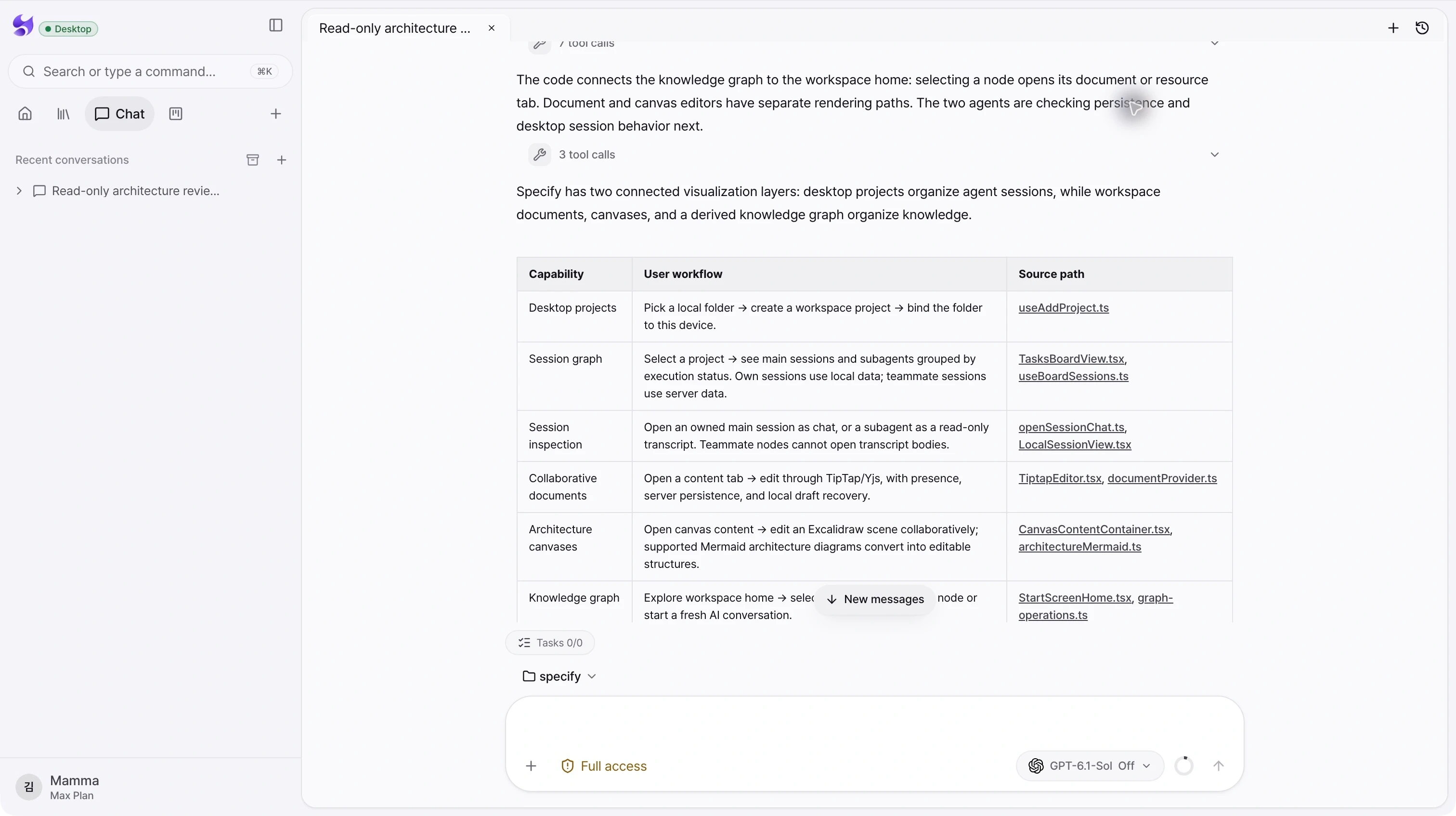
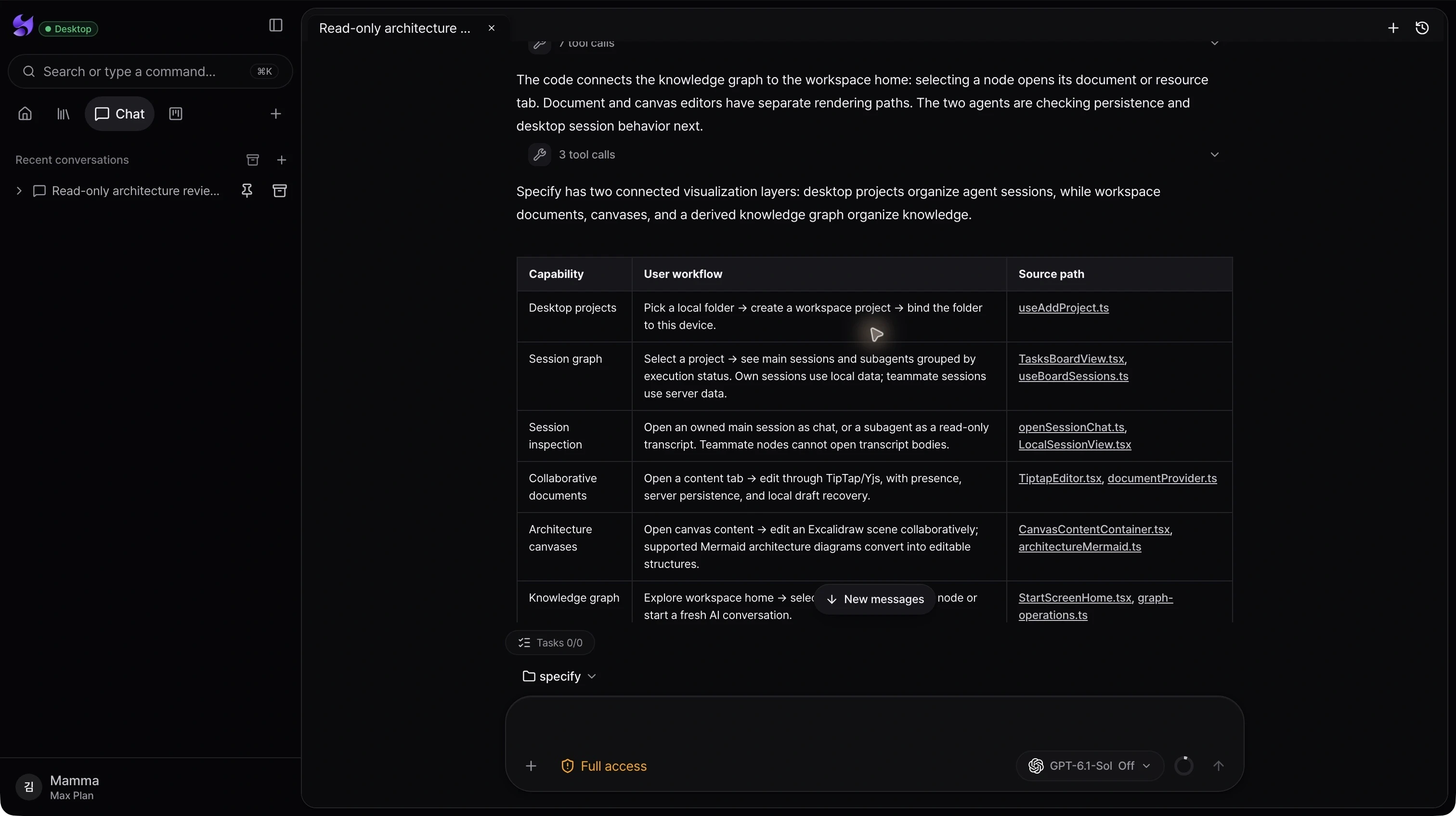
Provider and model selection
Choose from the agents and models available to your setup. Codex and Claude connections are configured in the desktop app.
Project-aware conversations
Select a project for a conversation so the local agent can work with the corresponding folder, and follow up in the same chat.
Visible work and control
Read responses and tool activity, inspect tasks, and respond to approval or input requests when the selected agent requires them.
From intent to action
- 01Connect your coding agent and choose a model.
- 02Select the project and describe a concrete task in chat.
- 03Review the response and tool activity, then continue the conversation with the next instruction.
Available tools, approval behavior, and usage depend on the provider and configuration. The screenshot records an actual read-only analysis; it does not imply that every task runs without approval.
See the whole product. Then make the next move.
Choose the desktop download for your Mac, sign in, and bring your projects and coding agents into Specify.
Download Specify Desktop